The Litvin, Ravshan & Adel trend
Put your friends in the gas station dance
Add three photos and get the 16-second clip everyone’s posting: one of you dancing under the canopy, one filming the selfie, one stepping out of the car at sunset.
- From $4.99, no sign-up
- Refund if it fails
- Photos deleted after
 1
1 2
2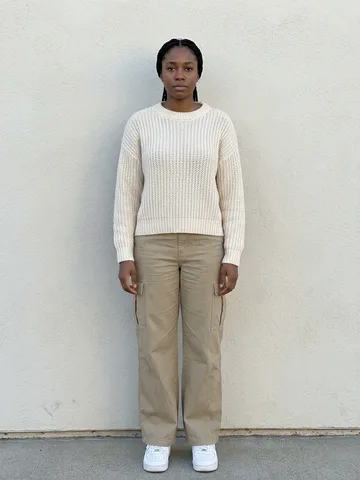 3
3
Works just as well with any group
Make your video
Two steps and a checkout. Your clip is ready to download in about 5–10 minutes.
1Add three photos
In the order they appear. Clear, front-facing, one person per photo.
- 1
The dancer
- 2
The one filming
- 3
The car exit
2Pick a quality
Three shots, sixteen seconds
Every gas station dance video follows the same cut. Each photo you add becomes one of these shots, with the moves, camera and sunset kept exactly as in the trend.
 0:00–0:07
1 The dancer
Opens the clip dancing on the forecourt.
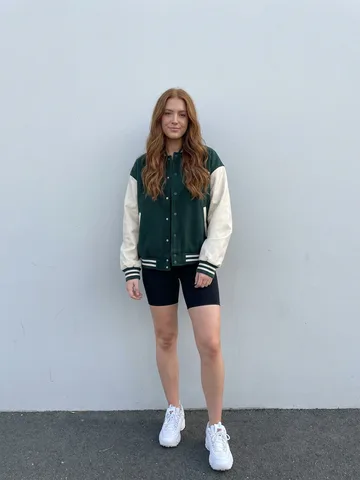
Photo to add: full-body photo, standing
 0:07–0:09
2 The one filming
Selfie close-up, walking toward the camera.
Photo to add: face photo, looking at the camera
 0:09–0:16
3 The car exit
Steps out of the car to close the clip.
Photo to add: full-body photo, standing
Made with this tool
Real renders from three photos each. The people are AI-generated, so nobody’s face was borrowed.
The girls
Works just as well with any group
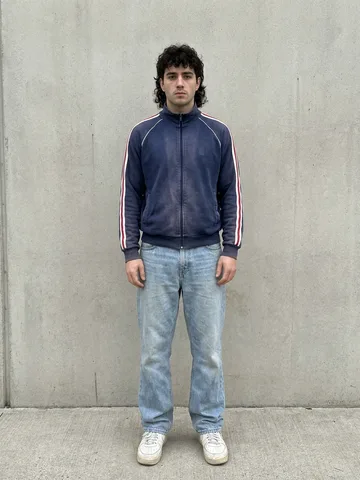
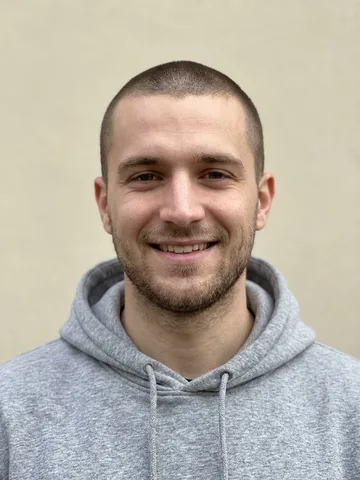
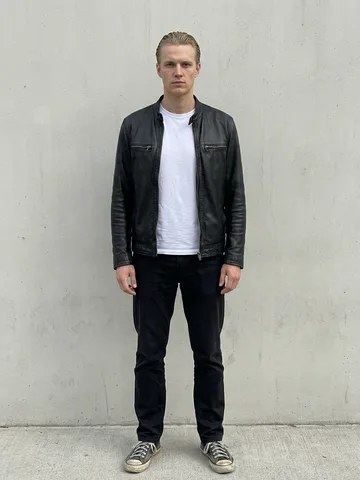
Three friends
Three different photos, one per role
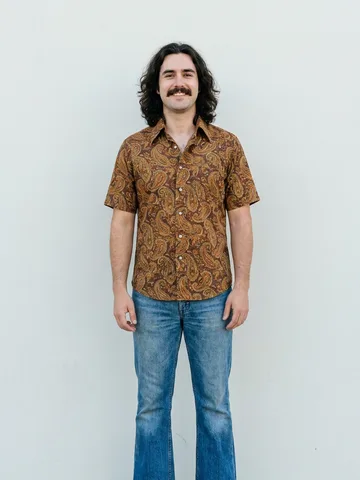
Solo
One photo plays all three roles
Pay for the video, not a plan
Most AI video apps make you sign up and buy a credit pack before you see anything. Here it’s one price for one clip.
| Feature | Here | Typical apps |
|---|---|---|
| No account to create | ||
| No credit pack to buy first | ||
| Pay for exactly one video | ||
| If a render fails | Card refund | Credits back |
Photos that come out right
The AI copies what it can see. Give it a clear look at each person.
- One person per photo
- Face visible, looking at you
- Bright, even light
- Full body for shots 1 and 3
- Group shots
- Sunglasses, masks, hands on face
- Beauty filters
- Screenshots or blurry photos
4am, somewhere on a highway
In 2024 Mikhail Litvin, one of Russia’s biggest influencers, posted a clip from a road trip: Ravshan throwing moves under the canopy, Litvin filming himself, Adel hopping out of the car. No choreography, just “On and On” by Akcent and an empty gas station at 4am.
Two years later AI video made the scene reusable, and the internet started putting everyone in it, from footballers to group-chat friends.
The full story behind the original videoQuestions
Something else? Email support@gasstationdance.net.
What is the gas station dance?
It started as a 2024 clip posted by Russian influencer Mikhail Litvin: him and his friends Ravshan and Adel dancing at a gas station at 4am on a road trip, set to “On and On” by Akcent. In 2026 AI templates let anyone drop their own friends into that exact scene, and it took over TikTok and Reels.
How do I make a gas station dance video with my photos?
Add three photos: one for the dancer, one for the person filming the selfie, and one for the person stepping out of the car. Pick a quality, pay once, and your clip renders in about 5–10 minutes. No account, no app, no prompt writing.
Can I use the same photo for all three people?
Yes. Add one photo and tap “Use for all three”. You’ll play every role in the clip.
What photos work best?
One person per photo, face clearly visible and facing the camera, good light, nothing covering the face. Full-body shots work best for the dancer and the car exit. Avoid group photos, heavy filters, sunglasses and screenshots.
How long is the video and what format is it?
About 16 seconds, vertical 9:16, delivered as an MP4 you can post straight to TikTok, Instagram Reels or YouTube Shorts.
Does the video have the song?
The clip comes with the trend’s soundtrack. When you post, picking the trending sound in TikTok or Instagram as well puts your video on the trend’s audio page, which helps it get seen.
Do I need an account or credits?
No. You pay for one video at a time, from $4.99. There’s no sign-up, subscription or credit pack to use up.
What happens if the video fails?
If the AI can’t finish your clip, your payment is refunded to your card automatically. You don’t need to contact us.
What do you do with my photos?
They’re used only to make your video and are deleted as soon as it finishes. We don’t use them to train AI or for anything else.